Four files in.
A living digital twin out.
Upload your Purchases, Inventory, Production, and Shipments exports. Five automated stages turn them into a connected supply chain map and live dashboards, with no IT project required.
See Symbench turn operational data into decisions
Two short explainers: the core platform, and an agent built for one specific problem.
Drop in .csv, .xlsx, or .xls files of any size. Large uploads resume automatically after a dropped connection, and rows with typos are set aside and reported row by row while everything else imports.
Librarian
Categorizes each file as Purchases, Inventory, Production, or Shipments.
Extractor
Finds every supplier, storage bay, production line, warehouse, and customer site.
Mechanic
Maps your column headings to standard operational fields, so nothing needs renaming.
Weaver
Links lots and part numbers across files to build BOMs and supply routes.
Director
Sequences every event from purchase to delivery and updates the live twin.
See the health of every stage
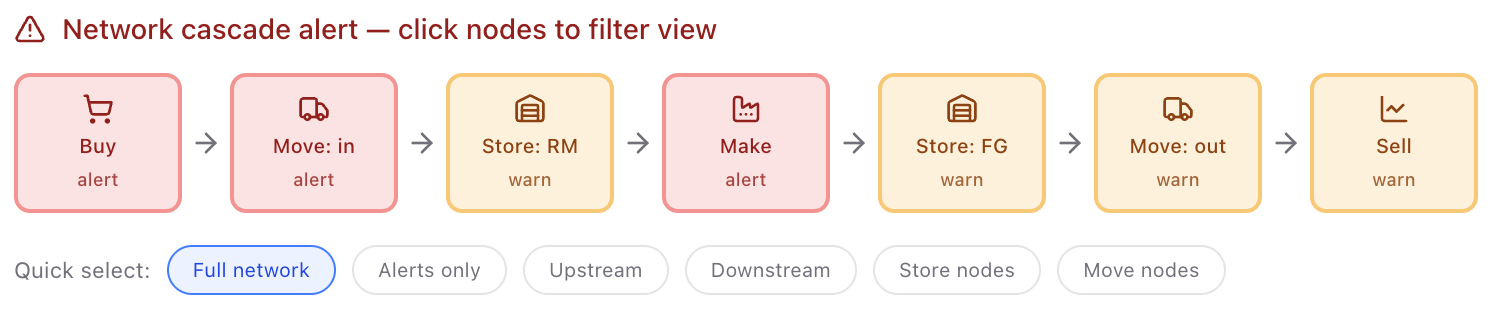
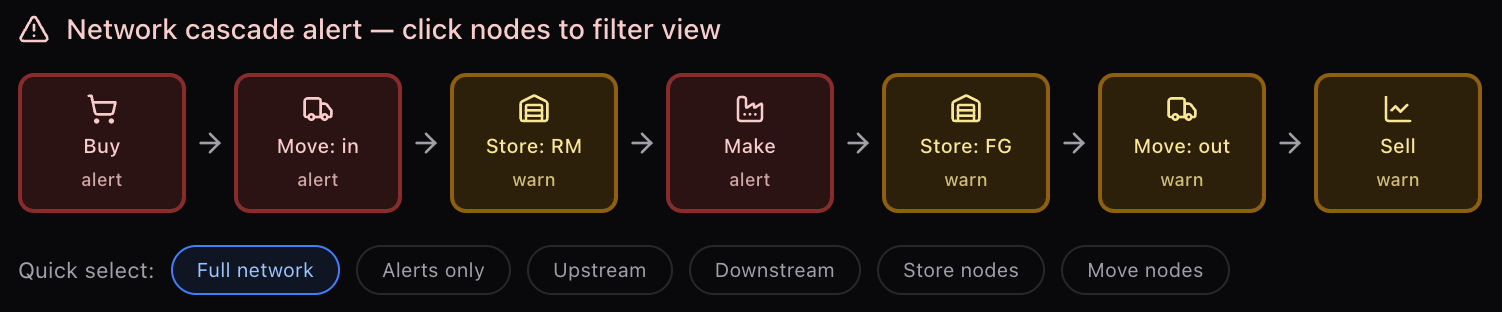
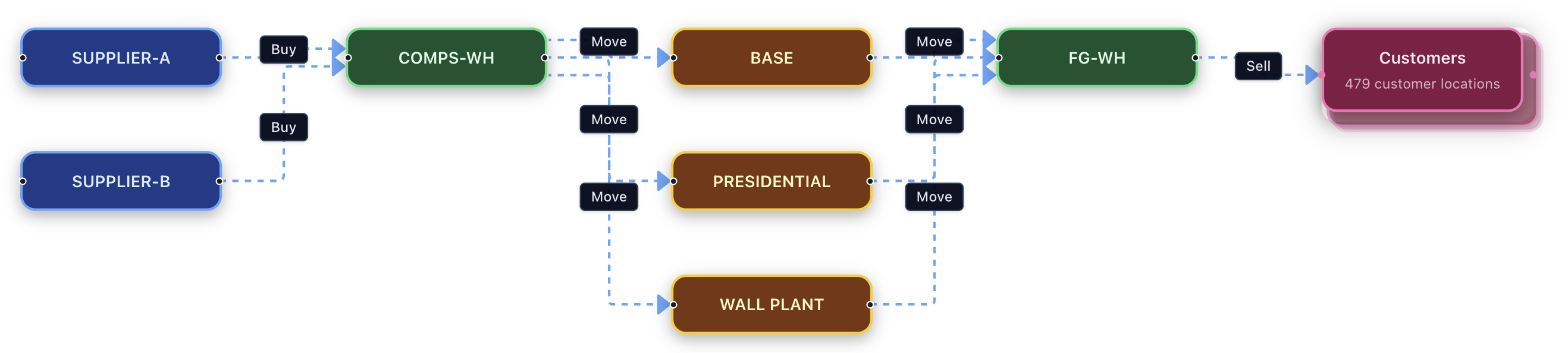
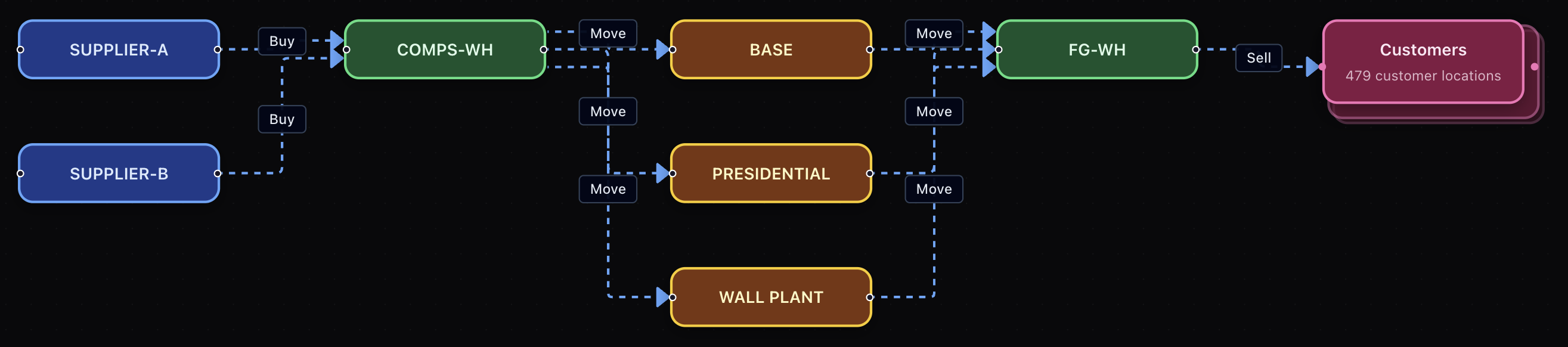
Step through Buy, Move-in, Store-RM, Make, Store-FG, Move-out, and Sell. Switch between lbs, kg, tonnes, and counts, compare each period with the last, and see median and P90 cycle times line by line. Cascade alerts warn you when an upstream delay will starve a downstream stage.
Trace any lot, end to end
Follow a lot forward to every customer order, or backward to the supplier batch it came from. Group bins into buildings, give cryptic codes friendly names, pin key locations in place, and turn on Audit View to catch unrecorded scrap, shrinkage, and transit loss.
Test a disruption on the Network Map. The impact shows up on your dashboard before it reaches your customers.
Mute Group
A site, warehouse, or department goes offline. Everything inside stops, and work shifts to alternate facilities, or to alternate lines with the Smart Scheduler.
Mute Flow
A shipping lane or carrier is blocked while the site keeps running. Shipments reroute through alternate distribution centers.
Impact on the dashboard
See when each storage bay runs out, which customer orders are at risk, and which substitute materials and backup sources can keep deliveries on track.
Understand every import
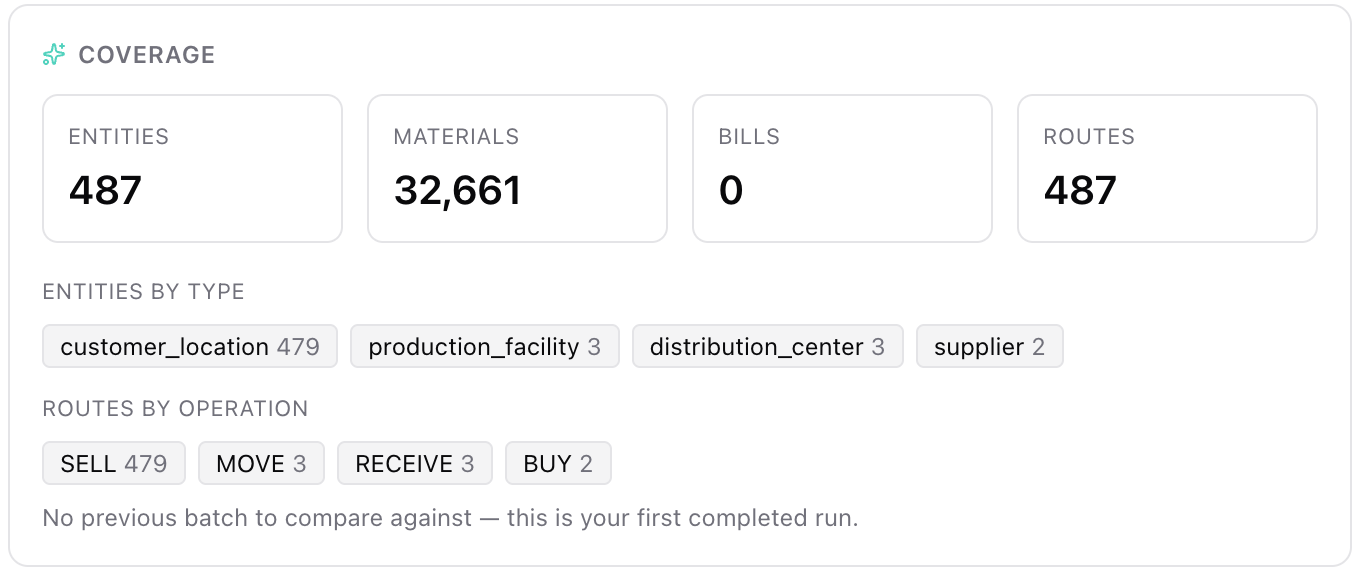
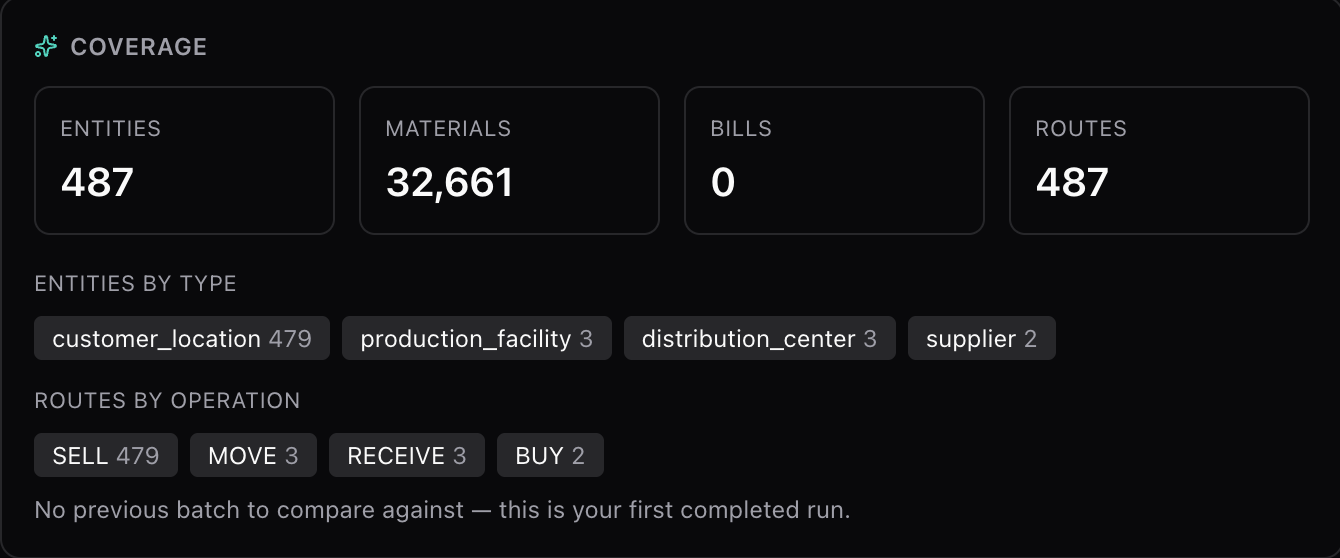
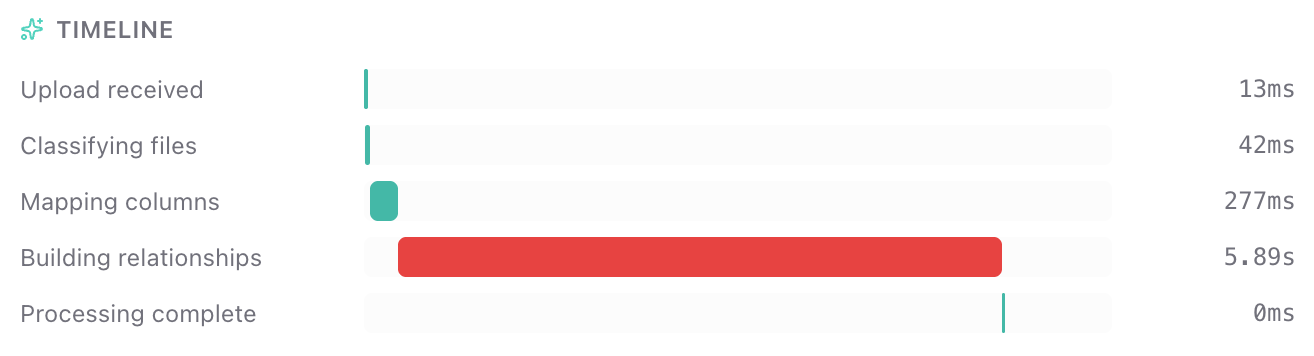
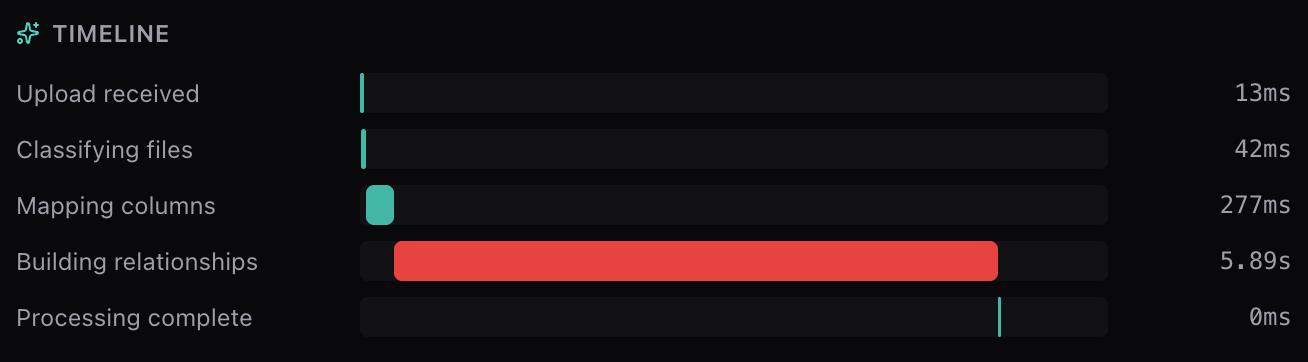
See how long each stage took, which locations, products, BOMs, and routes were newly discovered, and which rows were skipped and why, so your team can fix the source record.
Ask your twin anything, in plain English
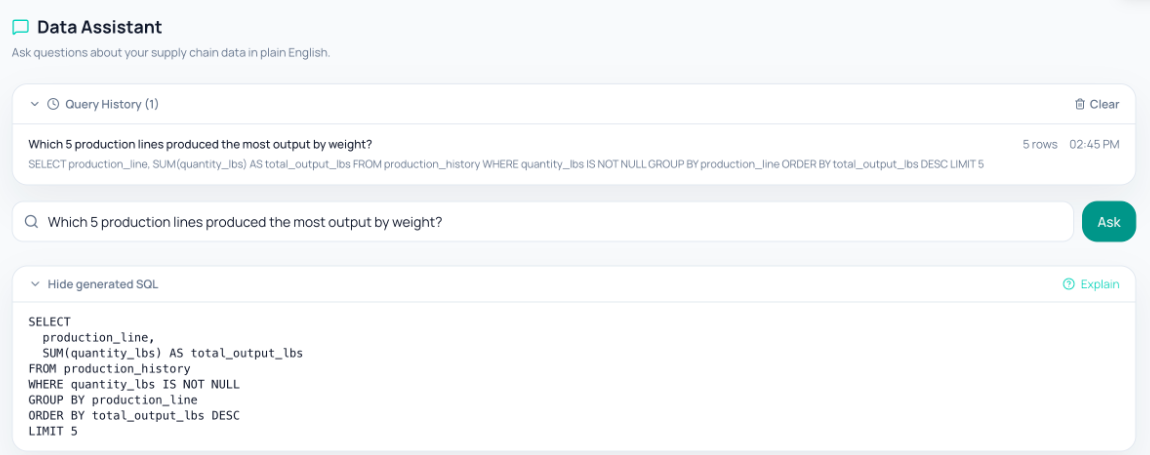
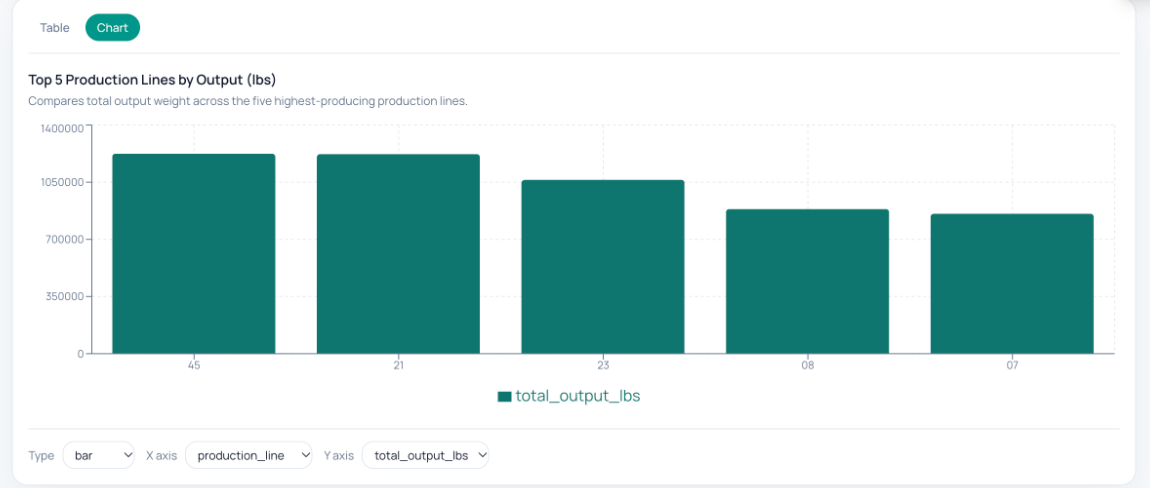
Type a question the way you would ask a colleague. The Data Assistant writes the query, runs it against your workspace, and answers with a table or a chart you can export to Excel.
- Shows its work. Every answer comes with the SQL behind it and a plain-English explanation.
- Read-only. Questions can look at your data but never change it.
- Scoped to your workspace. Answers only ever draw on the workspace you are working in.
Sequence every line to cut changeover waste
The Smart Scheduler never breaks essential rules: one job per line, shift calendars and maintenance windows, material availability, and equipment capability. Within them, it orders jobs by size, material, and format progression while protecting customer due dates.
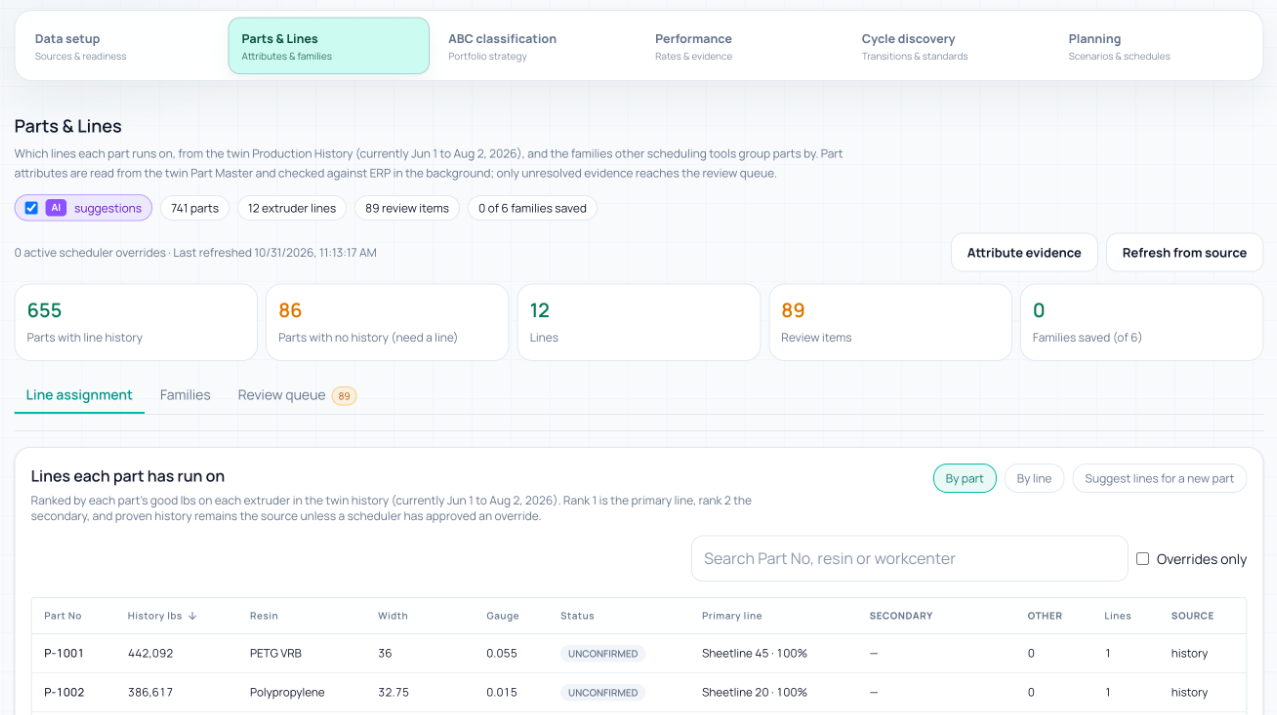
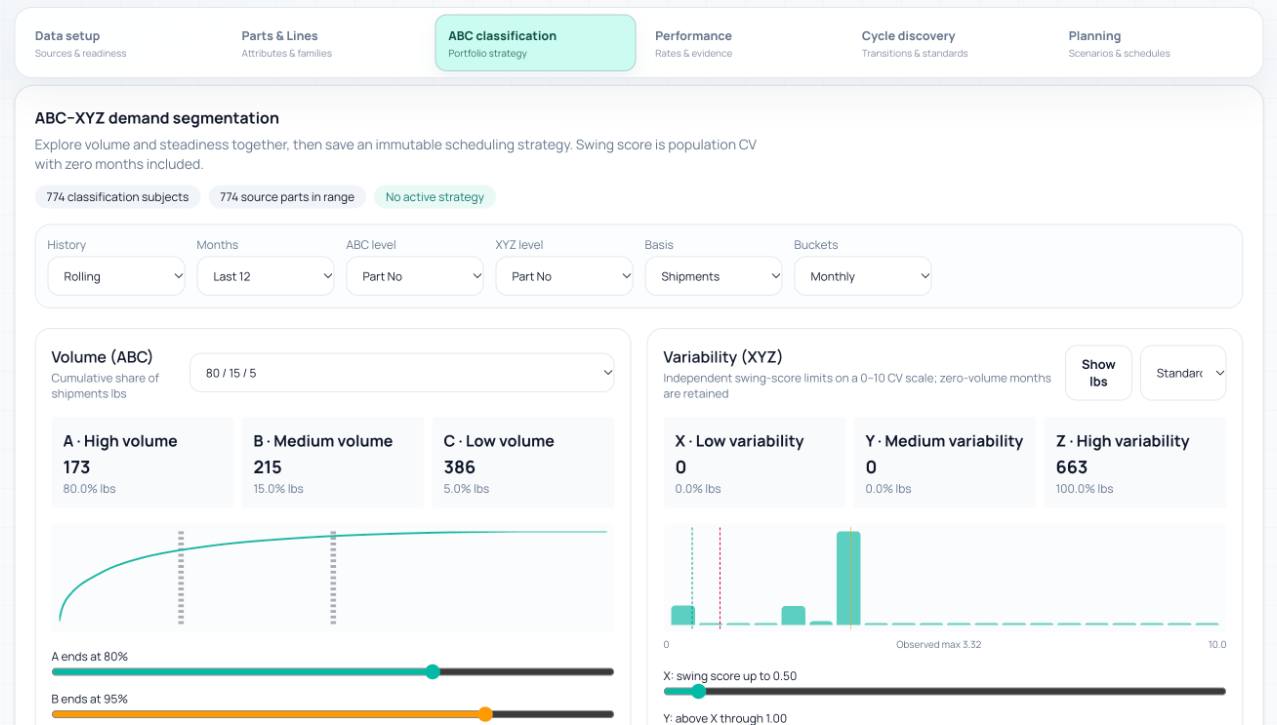
Run a Quick Draft in under 30 seconds or a Deep Optimization in 3–5 minutes, publish the 8-week plan, and track plan vs. actual as production data arrives. ABC-XYZ classification keeps high-volume products on dedicated lines and irregular orders make-to-order.
Enterprise controls, private workspaces
- SSO & MFASingle sign-on and multi-factor authentication
- Role-based accessFor schedulers, planners, managers, and admins
- Daily backupsWith point-in-time recovery
- Private workspacesOne per site, division, or planning baseline